AI agents keep getting better at writing code. The tricky part is everything that comes after: deploying, debugging, and keeping things running. This week, we're making that easier on both sides. Smart Diagnosis brings an AI agent to your failed deployments, reading through logs and config to tell you what broke. Our agent skills got a complete overhaul, going from 13 separate skills down to one. And if you need to reach IPv6-only services, Railway can do that now too.
Let's get into it! 🚄
Smart Diagnosis to Priority Boarding
Run AI-powered diagnosis on failed deployments and receive suggested fixesNew in Priority Boarding: Smart Diagnosis
Deployments fail. When they do, you're the one sifting through build logs, cross-referencing config, and scrolling through diffs trying to figure out what broke. Most of the time, the answer is in there somewhere. Finding it is the annoying part.
Smart Diagnosis does that for you. Trigger it on a failed deployment, and an AI agent reads through your logs, config, recent code changes, and repo context to figure out what went wrong. It tells you what happened and suggests how to fix it, including config patches you can apply in one click.
From there, you have two options. Copy the fix instructions and hand them to your coding agent of choice, or open a conversation with the canvas agent to dig deeper, ask follow-up questions, and work through the fix interactively.
Diagnose failed deployments by chatting with the canvas agentFixes are scoped to config patches for now. Down the line, you can imagine getting a PR with the code fix instead.
Available on paid plans. Let us know what you think on Central Station.
IPv6 support to Priority Boarding
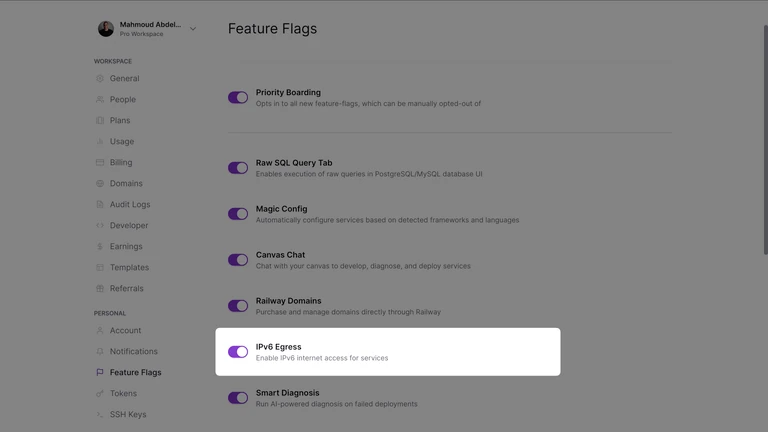
New in Priority Boarding: Outbound IPv6
If you need to connect to external services that only expose IPv6 addresses, your Railway services can now reach them.
Since this changes networking behavior, it's opt-in. Enable it per service in your service settings. This covers outbound connections only, so public inbound connections still use IPv4.
Share your feedback on Central Station.
Revamped Agent Skill
You now get a single installable agent skill to manage everythingWe've had agent skills for Railway for a while. They let coding agents like Claude Code, Codex, and Cursor operate your Railway infrastructure through natural language: create projects, deploy services, set variables, troubleshoot failures, all from your editor.
The packaging was the problem. There were 13 separate skills, one for each domain (status, projects, deploy, service, domains, environments, databases, templates, metrics, and more). New users hit a wall of options before they knew what any of them did. For agents, evaluating 13 skill descriptions on every request wasn't efficient either.
Now there's one skill: use-railway. Install it once and it covers everything. The skill
matches your intent to the right reference (setup, deploy, configure, operate, or API)
and loads only what it needs. Multi-step workflows like "create a project, add a
Postgres database, deploy my app, and check if it's healthy" compose into a single
response without you invoking each step separately. You can install or update by running the following command:
curl -fsSL http://railway.com/skills.sh | bash Alternatively, you can also install via skills.sh by running
npx skills add railwayapp/railway-skillsCheck out the repo and share your feedback on Central Station.
Fixes and improvements
- We shipped a new
railway telemetry <enable | disable | status>command, making it easy to opt in or out of usage telemetry collection. The Railway CLI collects anonymous usage telemetry to help us improve the developer experience. Learn more in the Railway docs - We improved the project usage page and you can now see a detailed cost breakdown, similar to the workspace page