Railway gives you one-click Postgres and you can have a database running in seconds. But a single instance doesn't protect you when things go wrong. No replicas, no failover, no redundancy. This week, we're shipping an experimental feature to Priority Boarding that changes that: turn your Postgres into a highly available cluster, same single click. More on that below. We're also bringing bucket management to the Railway CLI for you and for your coding agents.
Let's get into it! 🚄
High-availability Postgres to Priority Boarding
Turn your Postgres into a highly available cluster with automatic failoverNew in Priority Boarding: High-availability Postgres.
Running a single Postgres instance means any node failure takes your database offline. High-availability Postgres fixes that. With a single click, Railway turns your existing Postgres database into a full HA cluster with automatic failover and a dedicated monitoring UI.
Railway provisions the full stack: Postgres replicas managed by Patroni, an HAProxy reverse proxy that routes traffic to the current primary, and an etcd cluster for leader election. If the primary goes down, the cluster promotes a replica and reroutes traffic automatically. No manual intervention, no downtime.
The feature is built on the Postgres HA template. Setting up HA Postgres typically involves configuring replicas, proxies, and consensus protocols yourself. Railway abstracts that away and gives you a dedicated UI for monitoring cluster health, replica status, and the current primary.
This is experimental and not production-ready. Don't upgrade a production database to an HA cluster yet. We're shipping this to Priority Boarding early so we can iterate on your feedback and harden the experience before GA.
Enable it in your account settings and let us know what you think in this Central Station thread
Manage buckets from the Railway CLI
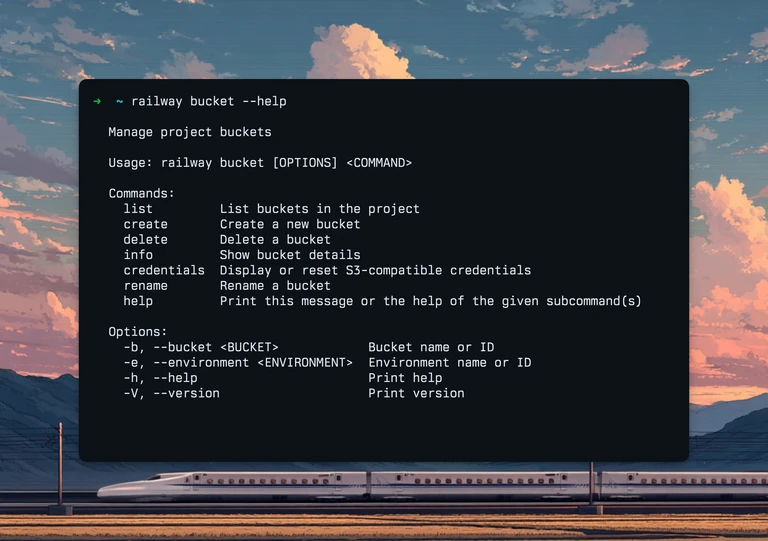
Buckets give you S3-compatible storage right alongside your services on Railway. Now you can manage them without leaving the terminal.
The new railway bucket command covers the full lifecycle:
railway bucket createprovisions a bucket and deploys it to your target environment. Pass a name and region inline, or let the CLI prompt you interactivelyrailway bucket listshows all buckets in your current environmentrailway bucket infodisplays storage size, object count, and region for a specific bucketrailway bucket credentialsprints S3-compatible credentials (endpoint, access key, secret key, region) in a format you can pipe into an.envfile orevaldirectly. Pass-resetto rotate credentials if they've been compromisedrailway bucket renameupdates a bucket's display namerailway bucket deleteremoves a bucket from the environment, with confirmation and optional 2FA support
Every subcommand supports --bucket and --environment flags for non-interactive use, and --json for machine-readable output. Destructive operations like delete and credential resets support --2fa-code for accounts with two-factor authentication enabled.
We’ll also updated the Railway agent skill to support bucket commands, so your coding agents can provision and manage storage on your behalf.
Check out the documentation for the full command reference. If you run into any issues, open an issue on the CLI repo.
Fixes and improvements
- We fixed clicking log rows to open the detail panel. Single-clicking any cell in a log row now opens the attribute panel as expected
- We fixed the log selection overlay on mobile. The overlay is disabled on smaller screens where there isn't enough space for it